
Understand
Schedules · Alarms · Trends
Establish when the problem occurs and what the building is asking the system to do.
Industrial controls & automation
BAS, BACnet networks, sensors, and equipment sequences—connected to the systems your operation depends on. We trace commands, verify responses, and document what your controls are doing.
Building intelligence meets field expertise
A controller shows a command, but the equipment does not respond. A sensor drifts, an alarm repeats, or a schedule keeps the plant running after hours. We follow the signal from the operator interface to the controller and field device, then verify the actual response.
Connected systems
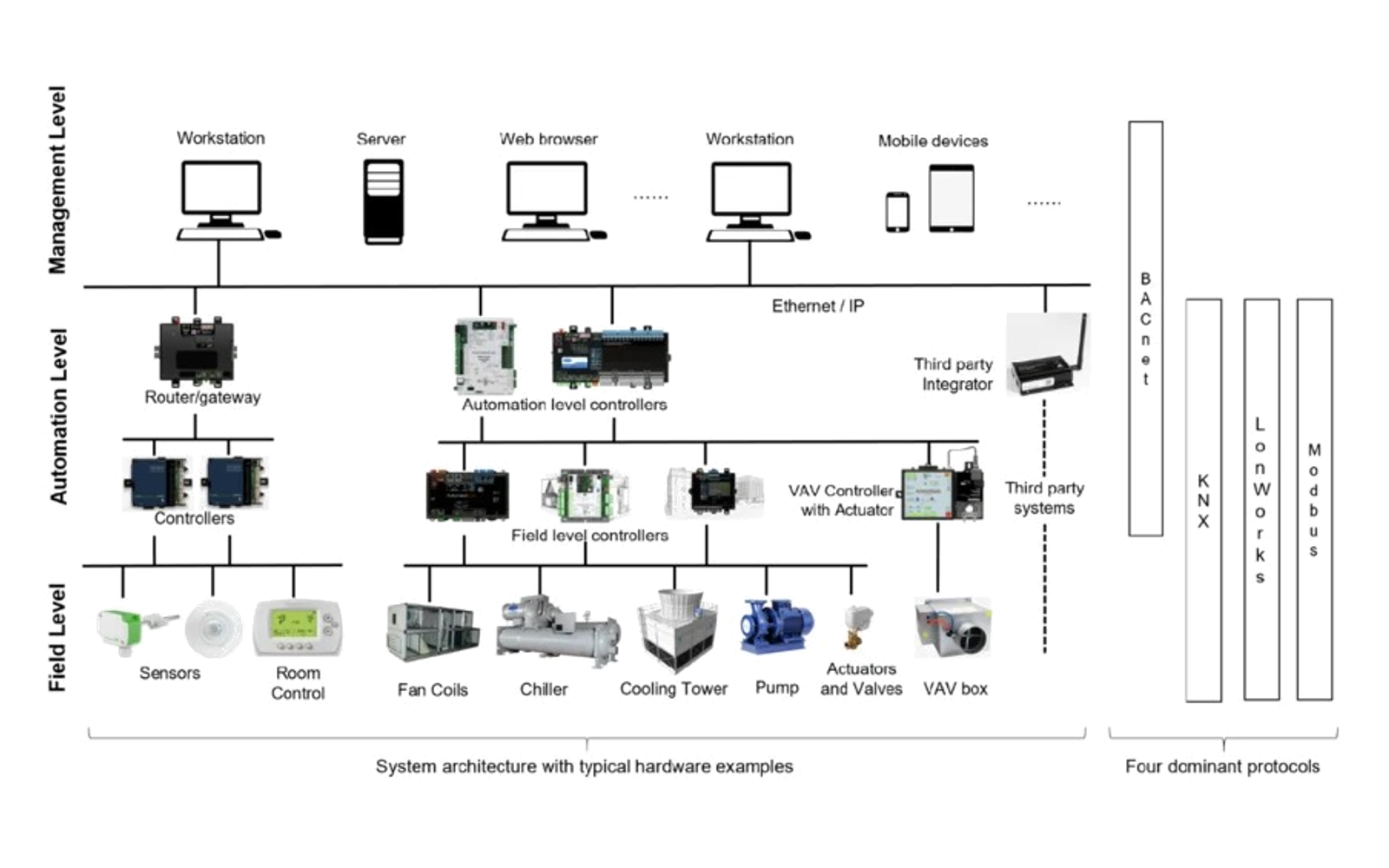
See how field equipment, controllers, and operator interfaces connect across a building automation system.
View system diagram (opens in a new tab)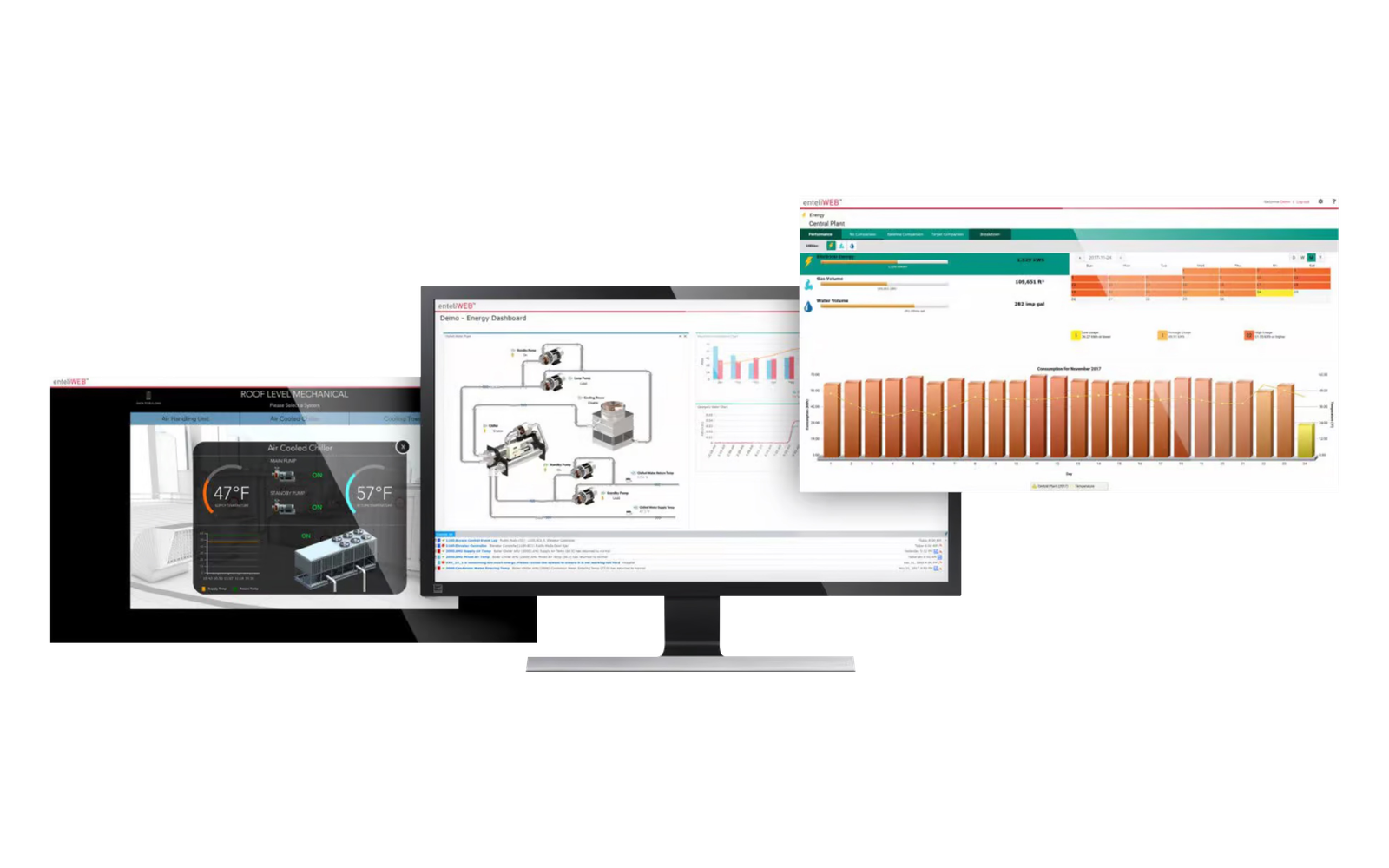
Operating insight
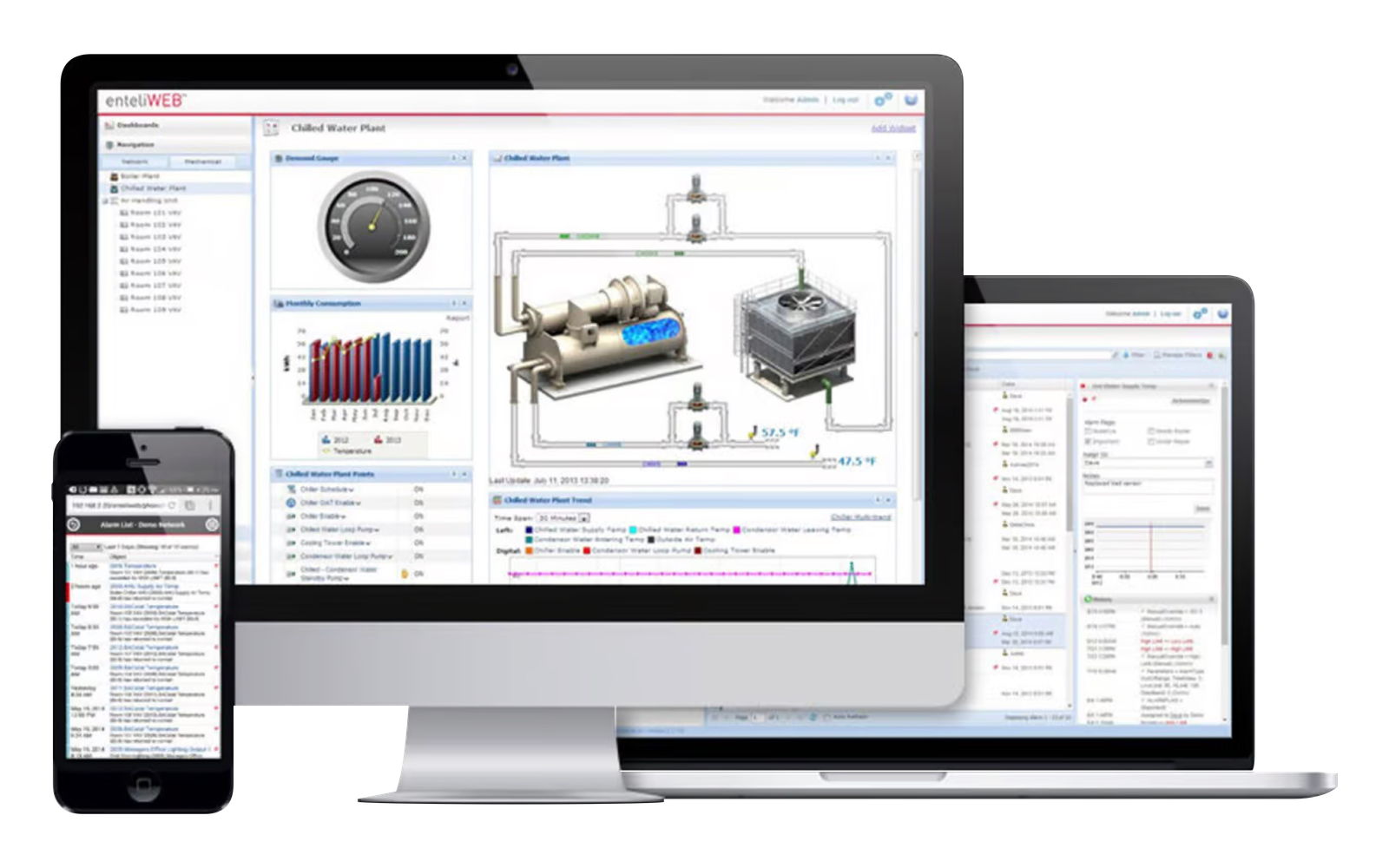
Schedules, temperatures, alarms, and energy trends bring operating conditions into focus for your facility team.
View dashboard example (opens in a new tab)Building automation
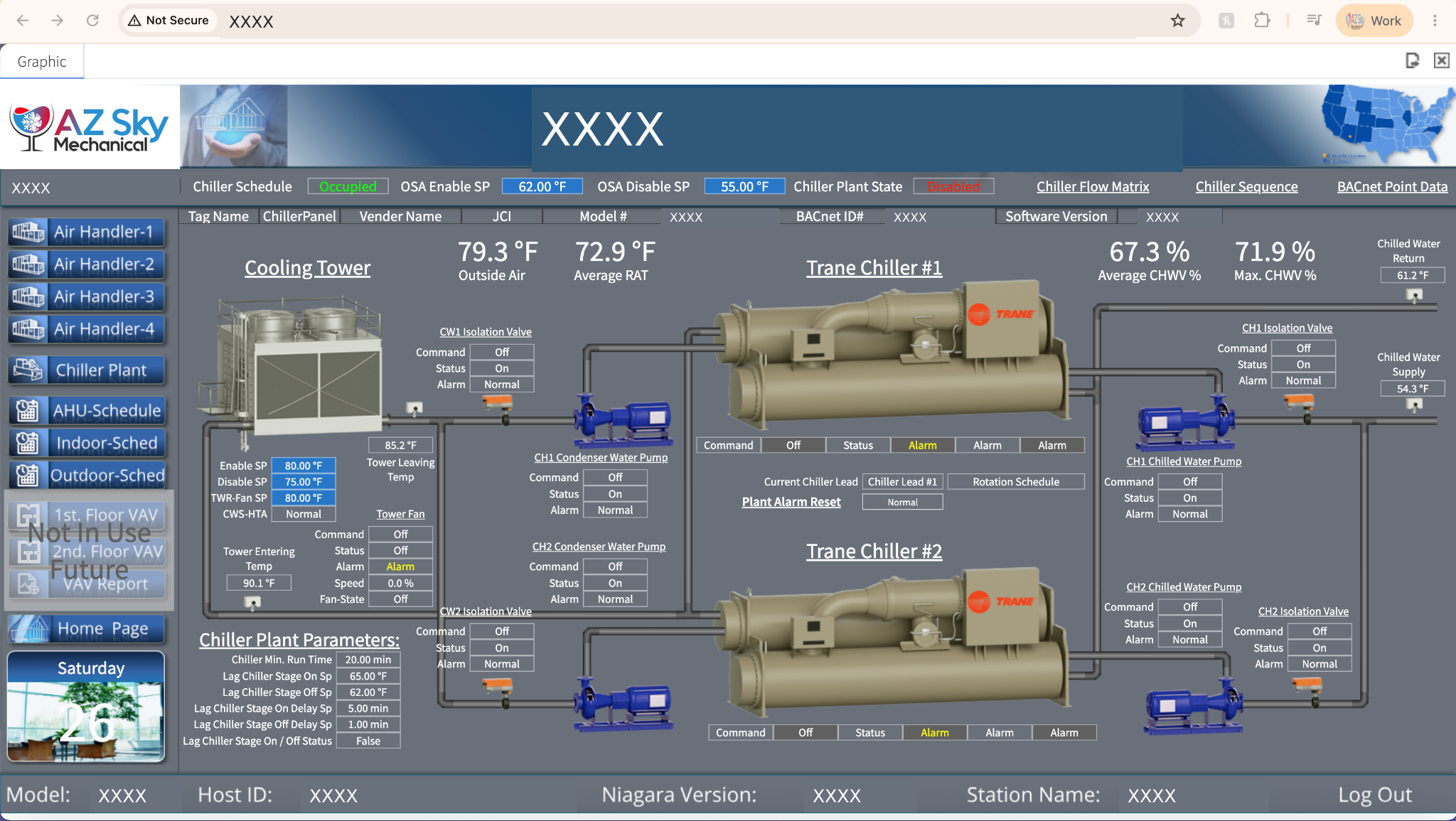
Project screenshots · Identifying details redacted
From command to confirmation
Better control starts with a clear picture of how the building, automation, and mechanical equipment work together.
Schedules · Alarms · Trends
Establish when the problem occurs and what the building is asking the system to do.
Controllers · BACnet · Points
Check communication, point mapping, commands, and the boundary between BAS and equipment controls.
Sensors · Valves · Drives
Compare the command with the physical response of the sensor, actuator, motor, or machine.
Startup · Sequences · Records
Test the agreed sequence and document corrections, remaining issues, and specialist follow-up.
Scope of service
Review controller availability, network communication, point mapping, and the connection between the BAS and equipment controllers. Coordinate specialist network or manufacturer support where needed.
Request this service →Compare temperature, pressure, humidity, and other sensor readings with field measurements. Check actuator movement, relay outputs, feedback signals, and device wiring.
Request this service →Verify enable commands, staging, operating modes, safeties, and interlocks against the intended sequence. Trace which condition is preventing equipment from responding.
Request this service →Review schedules, setpoints, overrides, alarm history, and trends to understand recurring faults, unstable control, or unnecessary equipment runtime.
Request this service →Coordinate interface points and control responsibilities when equipment is replaced or connected to an existing BAS. Verify commands and feedback during startup.
Request this service →Exercise the agreed operating sequence, verify field response, record results, and communicate remaining controls, programming, network, or equipment issues.
Request this service →Controls architecture & hardware
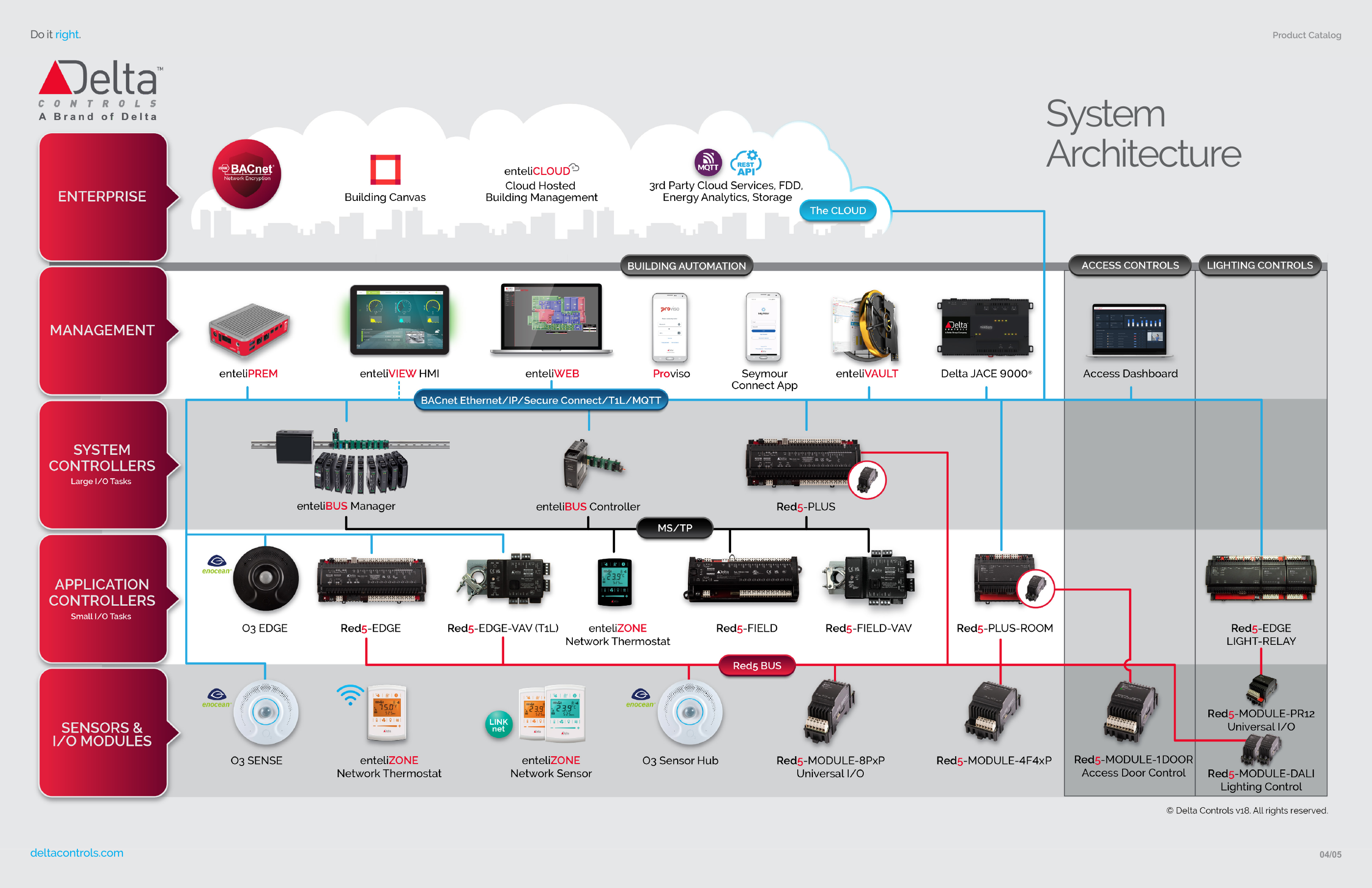
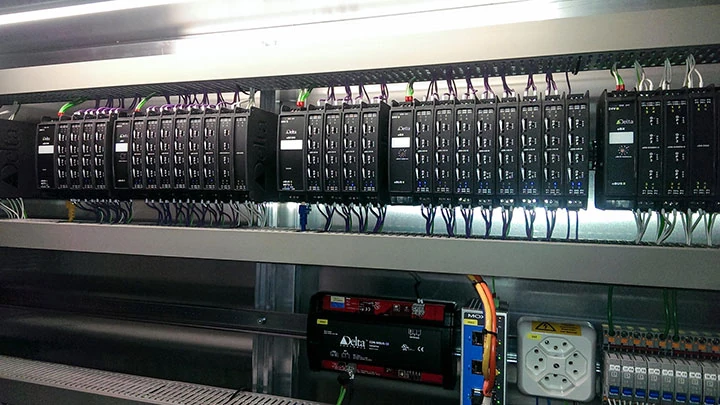
Management software, network controllers, and field modules work together to command and monitor equipment. These Delta Controls references illustrate that connection; each facility has its own configuration.
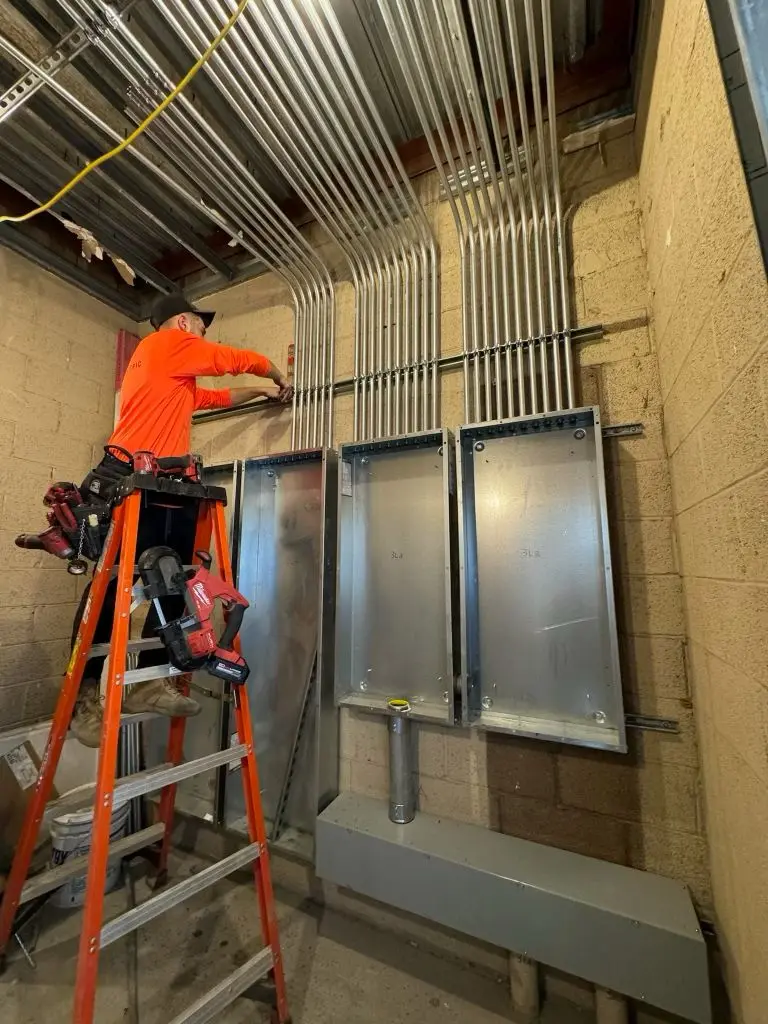 AZ Sky Mechanical field work
Automation in the field
We connect operator information with field checks so a command, displayed value, or alarm can be explained by what is happening in the building. The result is a documented correction and a clear path for remaining work.
How we approach the work
Collect the operating complaint, sequence, available drawings, relevant trends, and system access requirements.
Check the communication path, field points, commands, safeties, and equipment response under the relevant operating condition.
Record the correction, repeat the functional check, and identify any programming, network, or equipment work still required.
Common questions
Have a system-specific question? Call the office and tell us what equipment you are working with.
Phoenix metro service
From urgent repairs to planned maintenance, AZ Sky Mechanical keeps your systems running. Call us today—we’re here to help.